Console and Admin Access
Verified status as of March 28, 2026. Runtime note: FastFN resolves dependencies and build steps per function: Python uses
requirements.txt, Node usespackage.json, PHP installs fromcomposer.jsonwhen present, and Rust handlers are built withcargo. Host runtimes/tools are required infastfn dev --native, whilefastfn devdepends on a running Docker daemon.
Quick View
- Complexity: Intermediate
- Typical time: 10-15 minutes
- Use this when: you want to harden /console and /_fn endpoints
- Outcome: console and admin API are exposed only as intended
This guide is intentionally focused on the admin surface only:
/console/_fn/*
For function business auth (API key, session, JWT patterns), use:
docs/en/tutorial/auth-and-secrets.md
Scope
This page covers:
- enabling/disabling Console UI/API
- write protections
- local-only mode
- admin token for remote operations
- URL-based console deep links
- gateway dashboard for mapped routes
Flags
FN_UI_ENABLED(default0)FN_CONSOLE_API_ENABLED(default1)FN_CONSOLE_WRITE_ENABLED(default0)FN_CONSOLE_LOCAL_ONLY(default1)FN_ADMIN_TOKEN(optional)FN_CONSOLE_LOGIN_ENABLED(default0, Console UI only)FN_CONSOLE_LOGIN_API(default0, if enabled: protect Console API too)FN_CONSOLE_LOGIN_USERNAMEFN_CONSOLE_LOGIN_PASSWORD_HASHorFN_CONSOLE_LOGIN_PASSWORD_HASH_FILE(preferred)FN_CONSOLE_LOGIN_PASSWORDorFN_CONSOLE_LOGIN_PASSWORD_FILE(legacy/plaintext fallback)FN_CONSOLE_SESSION_SECRETorFN_CONSOLE_SESSION_SECRET_FILEFN_CONSOLE_SESSION_TTL_S(default43200)FN_CONSOLE_LOGIN_RATE_LIMIT_MAX(default5)FN_CONSOLE_LOGIN_RATE_LIMIT_WINDOW_S(default300)FN_CONSOLE_RATE_LIMIT_MAX(default120)FN_CONSOLE_RATE_LIMIT_WINDOW_S(default60)FN_CONSOLE_WRITE_RATE_LIMIT_MAX(default30)
Recommended baseline
- keep
FN_UI_ENABLED=0unless needed - keep
FN_CONSOLE_LOCAL_ONLY=1 - keep
FN_CONSOLE_WRITE_ENABLED=0by default - set
FN_ADMIN_TOKENfor controlled remote admin calls - prefer password hash or
*_FILEsecrets over plaintext env vars - set an explicit console session secret; there is no implicit fallback to
FN_ADMIN_TOKEN
Optional login (Console UI)
If you want a login screen for /console:
export FN_CONSOLE_LOGIN_ENABLED=1
export FN_CONSOLE_LOGIN_USERNAME='admin'
export FN_CONSOLE_LOGIN_PASSWORD_HASH='pbkdf2-sha256:<iterations>:<salt_hex>:<digest_hex>'
export FN_CONSOLE_SESSION_SECRET='change-me-too'
Generate a recommended PBKDF2 hash with Python's standard library:
python3 - <<'PY'
import hashlib
import secrets

password = "change-me".encode()
iterations = 200000
salt_hex = secrets.token_hex(16)
digest_hex = hashlib.pbkdf2_hmac("sha256", password, bytes.fromhex(salt_hex), iterations).hex()
print(f"pbkdf2-sha256:{iterations}:{salt_hex}:{digest_hex}")
PY
For container secrets or mounted files, you can move the sensitive values out of the process environment:
export FN_CONSOLE_LOGIN_ENABLED=1
export FN_CONSOLE_LOGIN_USERNAME='admin'
export FN_CONSOLE_LOGIN_PASSWORD_HASH_FILE='/run/secrets/console_password_hash'
export FN_CONSOLE_SESSION_SECRET_FILE='/run/secrets/console_session_secret'
Notes:
pbkdf2-sha256:<iterations>:<salt_hex>:<digest_hex>is the recommended format.sha256:<hex>still works as a legacy compatibility format for existing installs.FN_CONSOLE_LOGIN_PASSWORDstill works, but it is a compatibility fallback and less safe for production.- New session cookies are bound to the current login username and credentials, so rotating the password invalidates newly issued sessions automatically.
If you also want the Console API (/_fn/*) to require login cookies:
Console traffic is rate-limited even when login is enabled:
- login attempts use
FN_CONSOLE_LOGIN_RATE_LIMIT_MAXwithinFN_CONSOLE_LOGIN_RATE_LIMIT_WINDOW_S - read-heavy Console/UI traffic uses
FN_CONSOLE_RATE_LIMIT_MAX - writes and non-GET Console API calls use
FN_CONSOLE_WRITE_RATE_LIMIT_MAX
Read current UI/API state
Use admin token
Toggle admin surface at runtime
curl -sS 'http://127.0.0.1:8080/_fn/ui-state' \
  -X PUT \
  -H 'Content-Type: application/json' \
  --data '{"ui_enabled":true,"api_enabled":true,"write_enabled":false,"local_only":true}'
/_fn/ui-state behavior:
GETis read-only.PUT|POST|PATCH|DELETEare write operations and require write permission.
Typical admin errors
403 console ui local-only403 console api local-only403 console write disabled404 console ui disabled
Console deep links (real URLs)
The console supports deep links that survive refresh:
/console/console/explorer/console/explorer/<runtime>/<function>/console/explorer/<runtime>/<function>@<version>/console/gateway/console/configuration/console/crud/console/wizard
Example:
/console/explorer/node/hello@v2
Gateway dashboard quick link:
/console/gateway
The Gateway tab shows:
- mapped public route path
- target function (
runtime/function@version) - allowed methods
- route conflicts detected during discovery
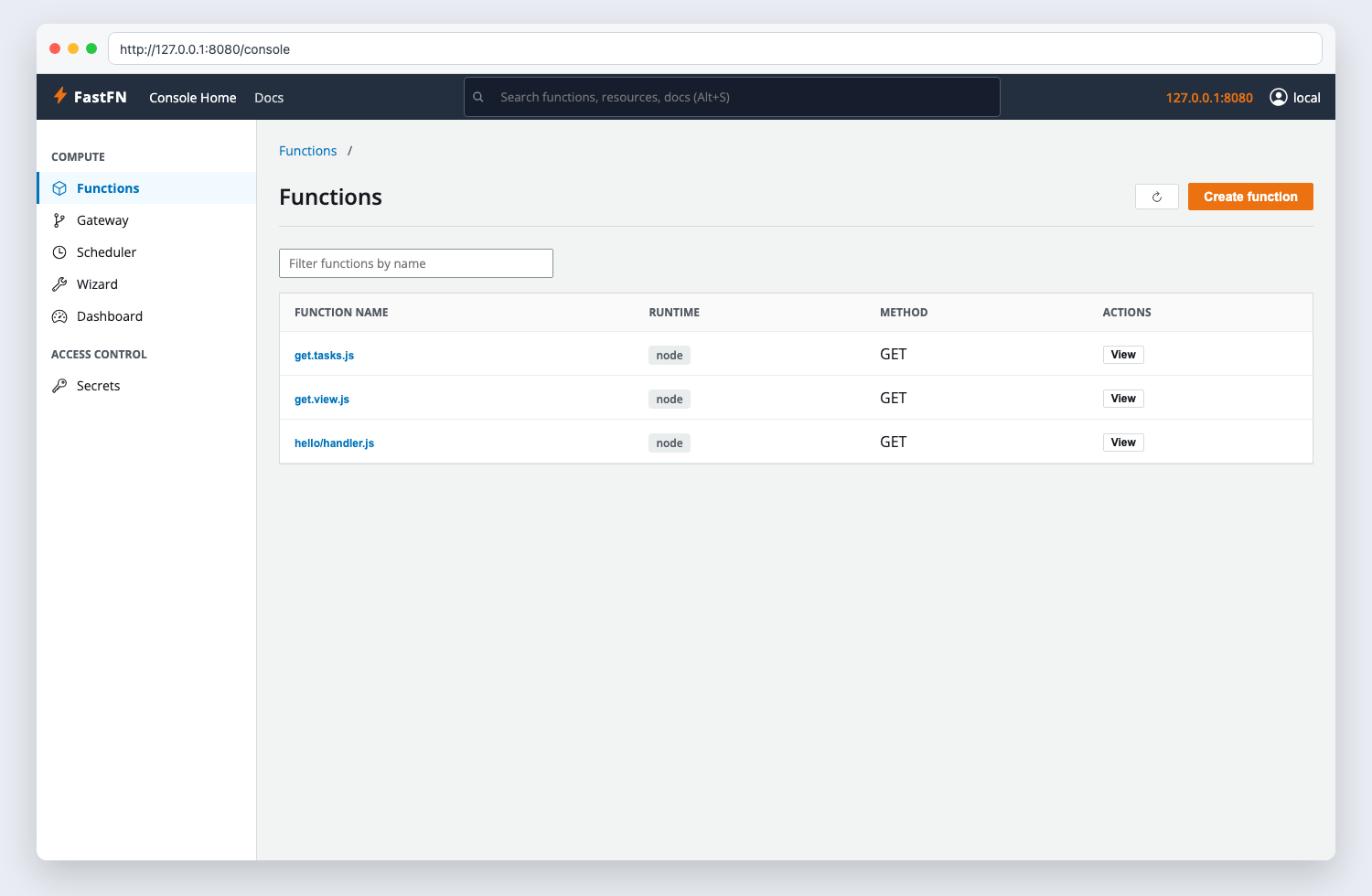
Console UI quick tour
The Console is organized into top-level tabs:
- Explorer: function detail + a safe invoke form (
/_fn/invoke). - Wizard: beginner step-by-step function generator.
- Gateway: mapped endpoint dashboard (public URL -> function target).
- Configuration: grouped panels for:
- policy limits/methods/routes
- edge proxy config (
edge.*) for{ "proxy": { ... } }responses - schedule (interval cron)
- env editor (secrets are masked)
- code editor
- CRUD: create/delete functions, plus Console access toggles.
Schedule panel notes:
- Schedules are configured per function in
fn.config.jsonunderschedule. GET /_fn/schedulesshows current schedule state (next,last, last status/error).
Production hardening checklist
- keep console/API private or behind VPN
- avoid exposing
/_fn/*directly to public internet - require admin token for write/admin operations
- keep write disabled except maintenance windows
- prefer
*_FILEor hashed password inputs over plaintext env vars - keep session TTL short enough for your operational risk profile
Validate it
- Call
GET /_fn/ui-statebefore and after a config change. - Confirm write operations fail without the right local/admin access.
- Load
/consoleonce with the intended login mode before exposing it to others.
Troubleshooting
- If
/consoleis missing, confirmFN_UI_ENABLED=1. - If reads work but writes fail, check
FN_CONSOLE_WRITE_ENABLEDandFN_ADMIN_TOKEN. - If login loops, clear cookies and confirm
FN_CONSOLE_SESSION_SECRETis set consistently.
Next step
Continue with Manage functions to use the admin surface for real create/update/delete flows.
Related links
- Manage functions
- Security confidence
- Debugging and troubleshooting
- Environment variables
- Function Specification
- HTTP API Reference
- Run and test